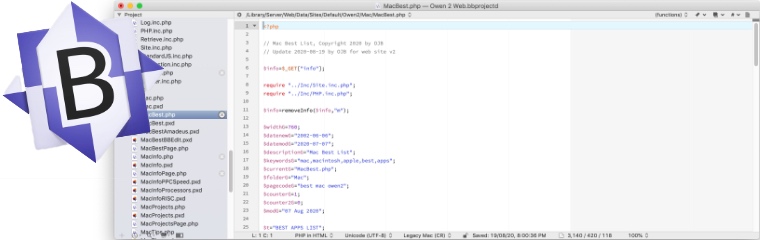
 Up to Best Apps List Return to Previous Page BBEdit: Update October 2008 The latest update to BBEdit is version 9. This introduces some useful improvements to the program without changing the way it works too much. The new features I find most useful are the search dialog which is much faster and better arranged now, the program also now supports "projects" which are lists of files which can be conveniently opened from a sidebar, and BBEdit now supports keyword completion which is sensitive to the programming language being used. BBEdit: Introduction BBEdit is a powerful text editor. The BB originally stood for "bare bones" because this was supposed to be a small, efficient program. Over the years BBEdit has been given more advanced features so that now the BB part no longer applies. I use BBEdit for writing HTML, PHP, Pascal, C, etc code, manipulating text files and storing and viewing text files. BBEdit is a carbon application which means it runs on Mac OS 9 (with carbon library) and Mac OS X. On Mac OS X it also installs a command line tool so that it is easy to open text files from Unix. It is regularly updated, but unfortunately the updates are moderately expensive. There is a free version called "BBEdit Lite" which is still very useful but misses out on some features. Some of BBEdit's best features are: useful text colouring of various languages such as HTML, syntax checking, impressive search and replace (including GREP), fast efficient handling of big text files (it can open a 30MB file in 3 seconds) and excellent reliability. I use GREP a lot. GREP comes from the Unix world where it is a command line utility used to select text. In BBEdit it can be used for complex searches and replaces. For example to remove all leading spaces on a line I would use search for "^ +" and replace with "" (nothing). The "^" means start of line, and " +" means any number of spaces. Check my GREP tips page for more examples.
| |||||||||||||||||||
 BBEDIT